
How do I disable all consent warnings/messages?
Although to support GDPR compliance, we introduced the Consent Manager in our 1094 update, you may decide that you want to disable all consent related messages. If so, then please follow the steps below:
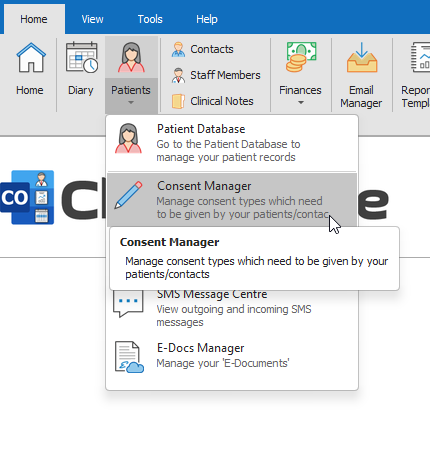
- Under the Patients button drop-down menu, open the Consent Manager
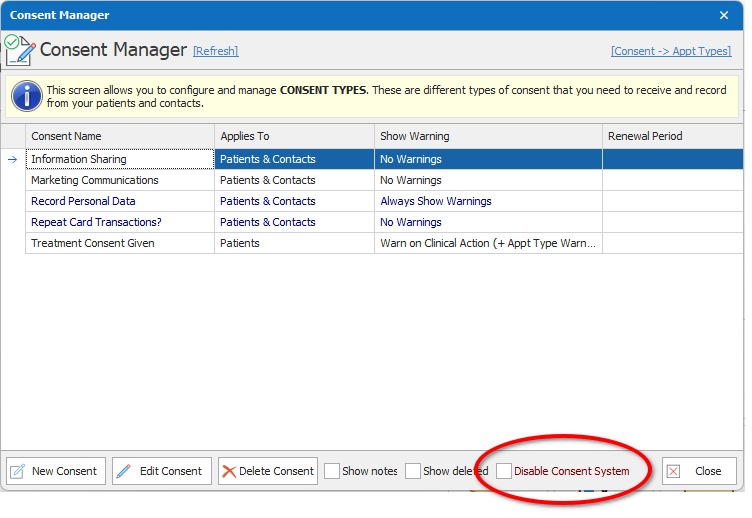
- Tick the checkbox “Disable Consent System” towards the bottom right of Consent Manager
- Click Yes to the next message
- Click the Close button
This will now disable all consent warnings and messages.
What if I want to disable only one of the consent warnings?
- Open the Consent Manager
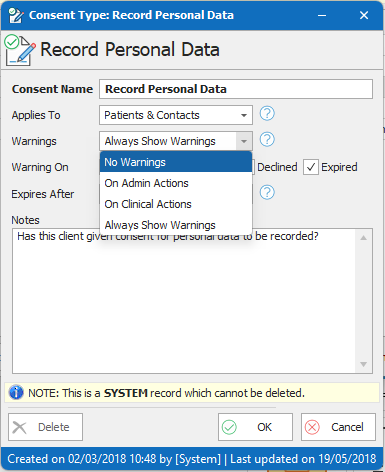
- Manually open the consent type by double-clicking, and set the warning status to No Warnings
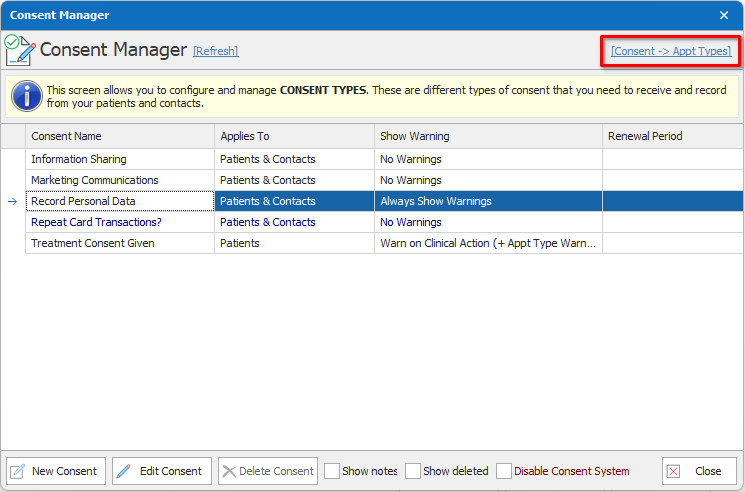
- On the top right of the Consent Manager window, there is a blue link labelled ‘Consent ->Appt Types’. Click here and make sure that none of the appointment types are linked to this consent type.
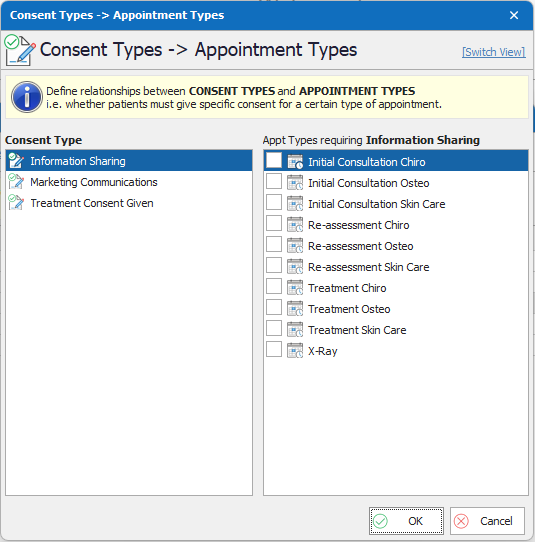
Once done, press OK and you shouldn’t receive any more consent related messages pertaining to this consent type.